
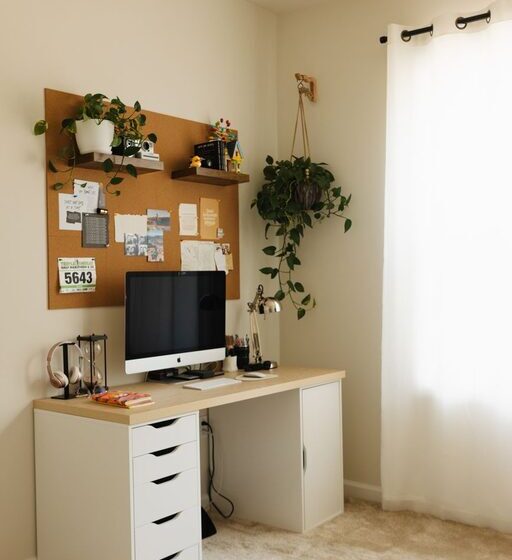

Creating a comfortable and productive home office is essential for anyone who spends significant time working from home. Whether you’re freelancing, managing remote work, or simply need a dedicated space free from distractions, the right environment can make all the difference to your focus and wellbeing. This guide offers practical, easy-to-follow tips to help you set up a home office that works for you.
Assess Your Space
Before you start arranging furniture or buying equipment, consider the space you have available.
– Choose a quiet area: Aim for a spot away from household noise, such as a spare room, a corner of your living room, or even a converted attic.
– Consider natural light: Position your desk near a window if possible. Natural light can improve mood and reduce eye strain.
– Ensure enough space: Make sure there’s ample room for your desk, chair, and storage. Leave space for movement and possibly a small relaxation corner.
Invest in Ergonomic Furniture
Comfort is key to staying productive during long hours.
– Ergonomic chair: Look for a chair with adjustable height, good lumbar support, and comfortable cushioning.
– Desk height: Your desk should allow your arms to rest at a 90-degree angle when typing. Adjustable desks or sit-stand desks offer flexibility.
– Monitor positioning: Place your screen at eye level to avoid neck strain.
Prioritise Organisation
A tidy workspace helps maintain focus and reduces stress.
– Storage solutions: Use shelves, filing cabinets, or drawer organisers to keep documents and supplies in order.
– Cable management: Keep cords and cables neatly bundled and out of the way to prevent clutter.
– Minimal surface clutter: Only keep essentials on your desk, storing other items away.
Personalise Your Space
Make the home office a place you enjoy spending time in.
– Add greenery: Plants can brighten the space and improve air quality.
– Use colours thoughtfully: Choose calming or inspiring colours that suit your work style.
– Personal touches: Incorporate photos, artwork, or motivational quotes.
Optimise Lighting
Good lighting reduces eye strain and boosts alertness.
– Natural light: As mentioned, utilize sunlight where possible.
– Task lighting: Add a desk lamp for focused work during darker hours.
– Avoid glare: Position screens and lights to avoid reflections, which can cause discomfort.
Minimise Distractions
A peaceful environment helps you stay on track.
– Noise reduction: Use rugs, curtains, or even noise-cancelling headphones to minimise background noise.
– Dedicated workspace: Make it clear to others in your home that this area is for work.
– Digital breaks: Use apps or settings to block distracting websites during work time.
Ensure Good Technology Setup
Reliable technology is fundamental for remote work or digital tasks.
– Internet connection: Ensure a strong Wi-Fi signal or use an Ethernet cable.
– Equipment: Invest in a quality keyboard, mouse, and webcam if needed.
– Backup devices: Have chargers and spare batteries ready to avoid downtime.
Establish a Routine
Once your space is ready, maintain productivity by establishing work habits.
– Set work hours: Define clear start and finish times to separate work from home life.
– Take breaks: Short, regular breaks refresh your mind – try the Pomodoro technique or simple stretching.
– Stay active: Incorporate movement to avoid sedentary strain.
Final Thoughts
Creating an effective home office doesn’t have to be complicated or expensive. By focussing on comfort, organisation, and personal preferences, you can design a space that supports your productivity and wellbeing. Remember, the best home office is one that fits your unique needs and helps you stay motivated day after day.