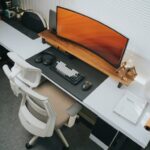


Creating a productive home office environment is essential for anyone working remotely or running a business from home. A well-organised and thoughtfully arranged workspace can improve focus, reduce distractions, and help maintain a healthy work-life balance. Whether you have a dedicated room or a small corner, these tips will guide you in setting up a home office that supports your work needs and personal comfort.
Choose the Right Location
Find a Quiet Spot
Select a space away from high-traffic areas such as the kitchen or living room to minimise interruptions. A quieter environment helps sustain concentration and reduces background noise during calls or video conferences.
Consider Natural Light
Position your desk near a window if possible. Natural light can improve mood and energy levels, making work feel less tiring. However, make sure to avoid glare on your computer screen by adjusting blinds or curtains.
Assess Space and Comfort
Choose a location that fits your needs—whether that’s a spacious room for larger equipment or a small nook tailored for simplicity. The space should allow for comfortable movement and accommodate your essential items without feeling cramped.
Invest in Ergonomic Furniture
Comfortable Chair
An ergonomic chair supports your posture, reducing the risk of back pain. Look for chairs with adjustable height, lumbar support, and cushioned seating.
Proper Desk Height
Your desk should be at a height where your arms can rest comfortably while typing. Adjustable desks or standing desks can offer flexibility and help vary your working posture throughout the day.
Monitor Position
Place your monitor at eye level about 50-70cm away to avoid neck strain. Using a separate monitor from your laptop can make a significant difference.
Organise Your Workspace
Declutter Regularly
Keep only the items you use daily on your desk. Decluttering prevents distractions and makes it easier to focus on tasks.
Use Storage Solutions
Employ shelves, drawers, and desk organisers to keep documents, stationery, and gadgets tidy. Label storage boxes if needed to ensure you can find things quickly.
Cable Management
Tidy cables reduce mess and the risk of accidents. Use clips, ties, or cable organisers to keep cords neat and out of the way.
Create a Personal Yet Professional Atmosphere
Add Personal Touches
Incorporate a few personal items like photos or plants to make your space inviting. Plants can also improve air quality and create a calm atmosphere.
Choose Soothing Colours
Opt for neutral or soft colours on walls and furniture. These promote a calm environment conducive to focus without causing distraction.
Control Noise and Distractions
Use noise-cancelling headphones or soft background music to help maintain concentration. Inform household members about your working hours to minimise disturbances.
Set Clear Boundaries and Schedules
Define Office Hours
Establish consistent start and finish times to separate work from personal life. Inform colleagues and family about these hours.
Create a Routine
Begin each workday with a set routine, like reviewing a to-do list or checking emails. Routines can signal your brain to switch into work mode.
Take Regular Breaks
Short breaks every hour can boost productivity and reduce fatigue. Step away from your desk, stretch, or take a brief walk to recharge.
Utilise Technology Efficiently
Reliable Internet Connection
A strong and stable internet connection is vital for smooth communication and uninterrupted work. Consider upgrading your plan or using wired connections if necessary.
Productivity Tools
Use apps or software for task management, time tracking, and collaboration. Tools like calendars, to-do lists, and communication platforms streamline workflows.
Backup and Security
Regularly back up important files and use security measures like VPNs, firewalls, and password managers to protect your data.
Maintain Good Health Practices
Posture and Movement
Be mindful of your posture and adjust your seating position regularly. Incorporate standing or light exercises throughout the day.
Hydration and Nutrition
Keep a water bottle nearby and eat balanced meals to sustain energy levels.
Lighting and Eye Care
Avoid working in dim light to reduce eye strain. Use screen filters or adjust brightness settings as needed and follow the 20-20-20 rule: every 20 minutes, look at something 20 feet away for 20 seconds.
Conclusion
Creating a productive home office environment doesn’t require a complete overhaul—small changes can make a big difference. By choosing the right location, investing in ergonomic furniture, organising your space, setting boundaries, utilising technology wisely, and caring for your health, you can build a workspace that supports your work and well-being. A well-designed home office helps you stay motivated and efficient, bringing out your best every day.